2026 EDITION

50 Micro SaaS Ideas You Can Build Without Coding

Find a practical software idea, validate it before you build, and follow a 30-day plan to launch your first Micro SaaS.

You don't need another list of random business ideas. You need ideas you can actually evaluate and act on.

  • 50 Micro SaaS ideas
  • No-code approach
  • 7-day validation process
  • 30-day build & launch plan

A 51-page eBook by Reshab, written for complete beginners.
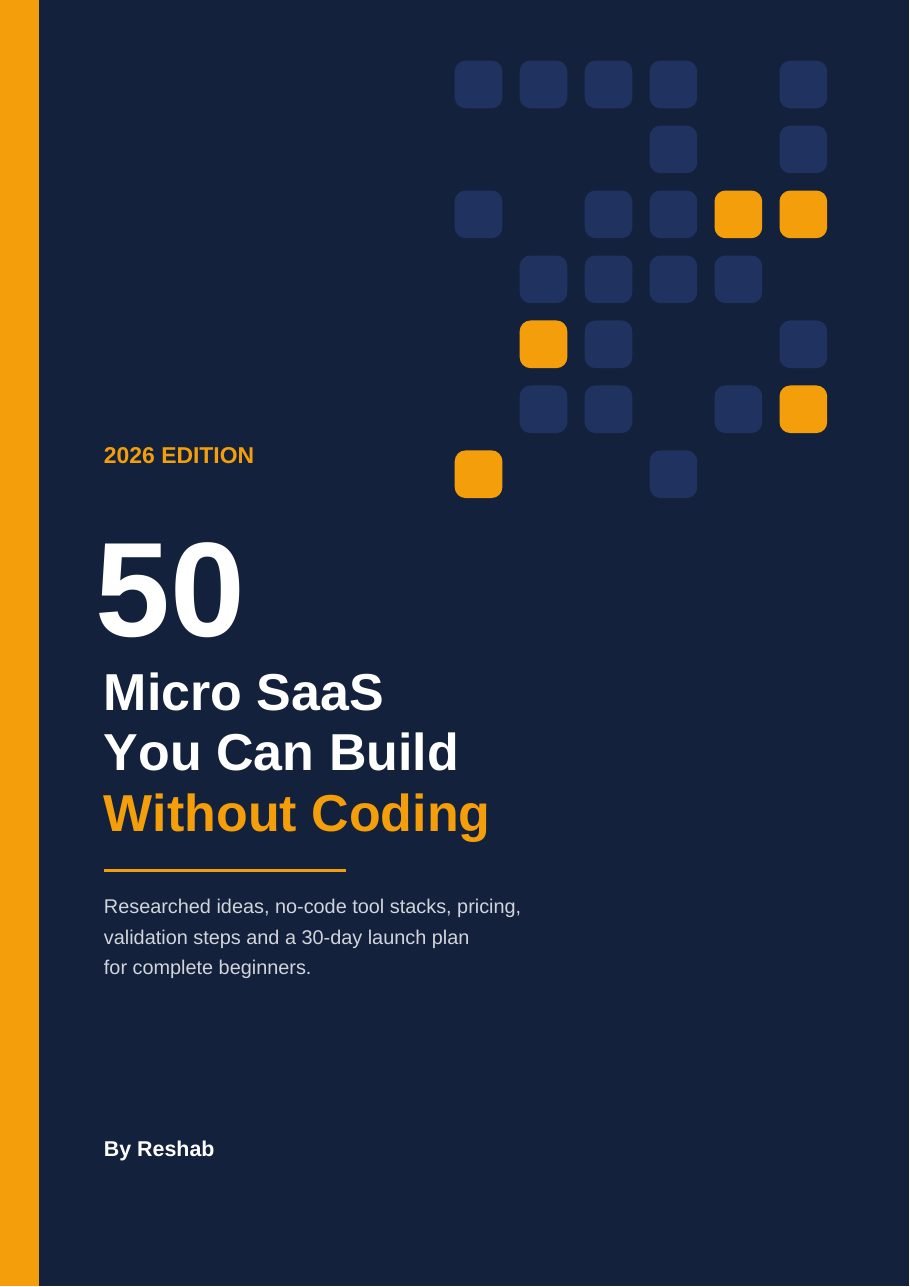
Cover of the eBook '50 Micro SaaS You Can Build Without Coding', 2026 Edition, by Reshab

Want to build a SaaS product, but don't know where to start?

If any of these sound familiar, you're in the right place.

  • "I have an idea, but I don't know if anyone will pay for it."
  • "I can't code."
  • "I don't know which no-code tools to use."
  • "I don't know what to build."
  • "I don't want to spend months building something nobody wants."
  • "I don't know how to find my first customers."

This book is the structured starting point.

You don't have to start by writing code. You start by finding a problem worth solving, then you test it cheaply, then you build the smallest useful version. The book walks you through that order.

  1. Find a problem worth solving
  2. Validate it
  3. Build the smallest useful version
  4. Launch

Everything you need to go from idea to launch

One book, from choosing what to build to finding your first customers.

01

50 Micro SaaS Ideas

Seven categories, from freelancers and local services to e-commerce and AI-powered niche tools. Every idea uses the same format, so you can compare them side by side.

02

No-Code Toolkit

The six building blocks of any software product, which tools do which job, and four ready-made starter stacks that nearly every idea in the book is built on.

03

7-Day Validation Framework

A day-by-day sprint, an idea scorecard, five questions to ask in customer conversations and red flags to watch for, before you spend weeks building.

04

30-Day Build & Launch Plan

A week-by-week plan for someone working part-time, plus channels for finding your first customers and a short outreach message you can adapt.

05

Pricing & Business Numbers

Pricing principles for beginners, a suggested price range for every idea, and the five numbers to track: MRR, churn, activation, CAC and LTV.

06

Mistakes to Avoid

Eight mistakes that commonly sink micro SaaS founders, from building before validating to targeting everyone, so you can skip the ones that waste time and money.

50 Micro SaaS ideas. One of them could be your starting point.

The ideas are grouped into seven categories, so you can start in a world you already know: your job, your hobbies, or a community you belong to.

  • Freelancers & Agencies8 ideas
  • Local & Service Businesses10 ideas
  • Creators & Content8 ideas
  • Marketing & Sales9 ideas
  • E-commerce5 ideas
  • Teams & Operations5 ideas
  • AI-Powered & Niche Tools5 ideas
  • 50 ideas in totalA sample of 16 is below
  • Freelancers & Agencies

    Client Portal for Service Businesses

    One branded login where clients see files, tasks, invoices and updates.

  • Freelancers & Agencies

    Invoice Reminder & Late-Payment Chaser

    Polite, automatic follow-ups so freelancers stop chasing money.

  • Freelancers & Agencies

    Proposal Generator with Built-In Payment

    Answer five questions, get a branded proposal PDF with a deposit link.

  • Freelancers & Agencies

    Client Onboarding & Document Collector

    Stop chasing clients for logos, logins and paperwork.

  • Local & Service Businesses

    Niche Appointment Booking System

    Booking built for one profession's real workflow.

  • Local & Service Businesses

    License & Certification Renewal Tracker

    Never let a professional license lapse again.

  • Creators & Content

    Testimonial Collection Wall

    Collect text and video testimonials and display them anywhere.

  • Creators & Content

    Newsletter-to-Social Repurposer

    Turn one newsletter issue into a week of social posts.

  • Creators & Content

    Podcast Show Notes & Clip Finder

    Upload an episode, get show notes, timestamps and best clip moments.

  • Creators & Content

    Niche Job Board

    A paid job board for one specific industry or community.

  • Marketing & Sales

    Google Review Request Automator

    Automatically ask happy customers for a review after every job.

  • Marketing & Sales

    AI Review Response Assistant

    Draft thoughtful replies to every online review in your brand voice.

  • E-commerce

    Competitor Price Watcher

    Get an alert when competitors change their prices.

  • Teams & Operations

    Employee Onboarding Checklist Portal

    Make new hires productive from day one.

  • Teams & Operations

    Meeting Notes to Action Items

    Turn meeting recordings into tasks in your project tool.

  • AI-Powered & Niche Tools

    Spreadsheet Formula Helper for a Niche

    Describe what you want in plain English, get the exact formula.

That's 16 of the 50. The other 34 are inside.

Find the idea that fits a world you already know.

You don't just get an idea. You get a framework for evaluating it.

Every one of the 50 ideas follows the same format. It shows what it would take to turn the idea into a real product: what to build first, who pays, which tools to use, what to charge and how long it might take a beginner.

This is a real page from the book (Idea 2). Prices are suggested starting points, and the book does not promise any idea will succeed.

Idea 2 · Freelancers & Agencies

Invoice Reminder & Late-Payment Chaser

Polite, automatic follow-ups so freelancers stop chasing money.

The problem
Chasing unpaid invoices is awkward, so many freelancers simply don't do it. Late payments wreck cash flow, and manual follow-up is inconsistent.
What to build
  • Connect invoices (Stripe, a Google Sheet, or manual entry)
  • Escalating reminder sequence: friendly, firm, final
  • Payment link inside every reminder
  • Dashboard of overdue amounts and average days to pay
Who pays
Freelancers, small agencies, consultants and tutors
No-code stack
Softr or Glide front end + Airtable + Make + Gmail/Outlook + Stripe
Pricing
$15 to $49 per month (suggested)
Difficulty and build time
Difficulty: EasyBuild time: 1 to 2 weeks
Growth tip
Sell the outcome, not the feature: "get paid faster". Offer a free late-payment email template pack as your lead magnet.

Don't spend weeks building something nobody wants.

Validate before you build. Chapter 3 gives you a one-week sprint to find out whether real people will pay, before you open a no-code tool.

Your green light

The book's benchmark: at least 5 people who pre-pay, or 3 businesses that commit in writing to try it at a set price. If you can't get there after two weeks of honest effort, you adjust the niche or try the next idea.

  1. Day1

    Define your target customer and promise

    Write one sentence: who you help, what result they get, what pain goes away. List where those people gather online.

  2. Day2

    Study real complaints and problems

    Read 50+ posts and complaints, and note the exact words people use to describe the problem.

  3. Day3–4

    Talk to potential customers

    Message 20 people and aim for 5 to 10 short conversations. The book gives you five questions to ask, and why "Would you use my app?" isn't one of them.

  4. Day5

    Create a simple landing page

    One page with your promise, three key features, a price and an early-access button.

  5. Day6

    Share it with potential customers

    Send it to the people you spoke to and to the communities you found, following each group's rules.

  6. Day7

    Ask interested people to pre-pay or commit

    Offer a founding-member price and see who is willing to commit. That's the signal that matters.

Then turn your idea into a real product.

Chapter 11 is a week-by-week plan for someone working part-time. The plan is designed to help you work toward your first 10 paying customers.

  1. Week1

    Learn and set up

    Pick your starter stack, do the tool's beginner tutorial, set up your database and sketch 3 to 5 screens on paper.

  2. Week2

    Build the core

    Build only the one workflow that delivers the main result. Connect Stripe so people can pay from day one.

  3. Week3

    Test with founding users

    Give access to your validation contacts, watch them use it, fix what confuses them and collect first testimonials.

  4. Week4

    Launch publicly

    Announce in the communities you joined, message everyone who showed interest and offer a founding-member price.

Finding your first customers

  • Your validation contacts
  • Niche communities
  • Direct, personal outreach
  • Free tools and templates as lead magnets
  • Launch directories
  • Partnerships

Start with the idea. The plan is already written.

The no-code toolkit, explained in plain English

Every software product is made of the same few building blocks. Chapter 2 shows you which tools do which job, so the "no-code stack" line in each idea makes sense.

App builders

The screens your customers see

  • Bubble
  • Softr
  • Glide
  • Webflow
  • Adalo
  • FlutterFlow

Databases

Where information is stored

  • Airtable
  • Google Sheets
  • Glide Tables
  • Softr Databases
  • Xano

Automation

The "if this, then that" glue

  • Make
  • Zapier
  • n8n

Accounts & payments

Sign-ups, logins and subscriptions

  • Stripe
  • Lemon Squeezy
  • Memberstack
  • Outseta

AI

Writing, summarizing, analyzing

  • OpenAI
  • Anthropic
  • Other LLM APIs

Forms & documents

Collecting info and producing PDFs

  • Tally
  • Typeform
  • PDFMonkey
  • Documint
  • Placid
  • Bannerbear

Four starter stacks cover almost every idea

The Portal Stack

Softr + Airtable + Stripe + Make. Client portals, directories, trackers and dashboards.

The Mobile/Field Stack

Glide + Glide Tables or Google Sheets + Make + Twilio. Apps used on phones.

The Custom App Stack

Bubble + Stripe + an AI API. Products with complex logic or AI at the core.

The Website + Membership Stack

Webflow + Memberstack or Outseta + Airtable + Make. Job boards, template stores and paid communities.

These tools are listed to show what the book covers. They are not sponsors, and no endorsement is implied. Tool features and prices change often, so always check each vendor's site.

This book is for you if...

  • You want to build a small software business
  • You don't know how to code
  • You want practical SaaS ideas
  • You want to validate before building
  • You want to use no-code tools
  • You want a structured starting point
  • You are willing to talk to potential customers

This book is NOT for you if...

  • You want guaranteed income
  • You expect someone else to build the business for you
  • You want a deep programming course
  • You are looking for a get-rich-quick scheme

What's inside: a path from "what do I build?" to launch

The chapters are in the order you'll need them.

  1. Ch.1

    What Is Micro SaaS? page 6

    What it is, how it differs from traditional SaaS, why now is a good time, and a reality check on income.

  2. Ch.2

    Your No-Code Toolkit page 8

    Six building blocks, the main app builders compared, four starter stacks, what it costs to start and the honest limits of no-code.

  3. Ch.3

    Pick One Idea and Validate It in 7 Days page 11

    The idea scorecard, the 7-day sprint, five customer questions and the red flags to watch for.

  4. Ch.4–10

    The 50 Micro SaaS Ideas page 13

    Seven categories. Each idea covers the problem, what to build, who pays, the no-code stack, pricing, difficulty and build time, and a growth tip.

  5. Ch.11

    The 30-Day Build & Launch Plan page 43

    A week-by-week plan, channels for your first customers and a simple outreach message to adapt.

  6. Ch.12

    Pricing, Numbers & Mistakes to Avoid page 45

    Pricing principles, the five numbers to track and eight mistakes that sink most micro SaaS founders.

  7. App.A

    Quick Reference: All 50 Ideas page 48

    One table to compare every idea by category, main tool, monthly price and difficulty.

  8. App.B

    Sources & Further Reading page 51

    The publicly available sources behind the ideas, statistics and examples.

Take a look inside

These are real pages from the eBook, not mockups. Tap any page to enlarge it.

The cover2026 Edition
What Is Micro SaaS?Chapter 1
An idea pageIdea 1, Client Portal
The 7-day validation sprintChapter 3
The 30-day launch planChapter 11

This isn't a promise of overnight success.

The goal is to help you find a problem worth solving, test it cheaply, and give you a practical path toward your first launch.

  • An honest look at income

    Chapter 1 includes a reality check on what micro SaaS income usually looks like, instead of a headline number.

  • The limits of no-code, stated up front

    Lock-in, usage-based costs, performance limits and sensitive data are all covered in Chapter 2.

  • Ideas chosen with one test

    Every idea was filtered by one question: could a non-coder realistically build a first version with today's no-code tools?

  • Educational, not advice

    The book is not financial, legal or tax advice. Tool prices were researched in October 2026 and change often.
About the author

Reshab wrote 50 Micro SaaS You Can Build Without Coding for complete beginners who want to start building software without learning to code.

Cover of 50 Micro SaaS You Can Build Without Coding

Ready to find your Micro SaaS idea?

50 Micro SaaS You Can Build Without Coding2026 Edition · By Reshab

  • 50 Micro SaaS ideas
  • No-code toolkit
  • Practical no-code stacks
  • 7-day validation framework
  • 30-day build & launch plan
  • Pricing guidance
  • Common mistakes to avoid
  • Quick-reference appendix

Digital eBook (PDF). No refunds once delivered. Refund policy

Questions, answered

Do I need coding experience?
No. The book is specifically designed for complete beginners and focuses on no-code approaches.
Do I need a large budget?
The book focuses on no-code MVP approaches. Actual costs depend on the tools and product selected. Chapter 2 breaks down typical monthly tool costs, and many tools have free plans you can build and test on first.
Does this book guarantee that I will make money?
No. It is an educational guide. It provides ideas, validation methods and execution guidance, but business results cannot be guaranteed.
Is this a programming book?
No. It focuses on Micro SaaS ideas, validation, no-code tools, pricing and launching.
How many ideas are included?
50.
What types of businesses are covered?
The ideas span freelancers and agencies, local service businesses, creators, marketing and sales, e-commerce, teams and operations, and AI-powered/niche tools.
Is this suitable for complete beginners?
Yes. The book was written specifically for beginners.
Will I build a SaaS product in 30 days?
The book provides a 30-day build-and-launch framework. Actual results depend on the product, tools selected and the amount of time available.

Your next Micro SaaS idea might already be in this book.

Pick an idea. Validate it. Build the smallest useful version. Launch it.

₹99 Get this eBook →